Capture.NET

Capture.NET
License:
Free
Language:
English
Developer:
OS:
Win2000/XP/2003/7
Added:
See detailed info

Softonic review

Jon Riggall

“A smart toolbox for your desktop”

by Jon Riggall about Capture.NET

Capture.NET is a small program with a ton of useful features for Windows users. The developer describes this as 'the Swiss Army Knife of PC tools', and it's easy to see why.

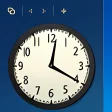
Small enough for portable usage, Capture.NET is a stand-alone application that sits on your desktop as a smart translucent window with a clock and calendar. Right-clicking on it opens up a host of other features. There are post-it notes, a multifunctional alarm clock, screen capture, color picker, history eraser, Windows spy, tweaker, a font viewer and a backup tool.

The Capture.NET screen capture tool is pretty good. All its features are available through keyboard commands, like window capture, full screen or region, and the results open in a neat editor that gives you all the editing tools you'd expect. The color picker is also useful, allowing you to easily see the RGB code for any color on screen, while the Font viewer does exactly what it says!

Capture.NET's privacy eraser is extensive, meaning you can clean your computer of what you've been up to if necessary. You can also set up a cleaning routine and link it to the alarm clock, so your activity is cleaned automatically at the time of your choice. Otherwise, Capture.NET's alarm clock also works as a normal alarm.

Another useful tool in Capture.NET is the converter, especially useful for changing image formats. There are even more functions suited to advanced users who create web pages and so on. In terms of usability, Capture.NET is mixed. Some of its functions are self explanatory, and others lack necessary instructions. While it looks nice, the buttons on Capture.Net are too small, although all the features can be reached with a right click.

Capture.NET is a useful and portable all-in-one tool, especially for more techy Windows users.

Pros
  • Tons of applications in a tiny program
  • Great portable screen capture tool
  • No installation necessary
Cons
  • Buttons are too small
Free Download Capture.NET 11.0.4031 Free Version

Capture.NET is virus free

We have analyzed the latest version of Capture.NET with 30 antivirus engines and it is virus free. See analysis results.

TESTED VIRUS FREE - Softonic GUARANTEED

Review and rate Capture.NET

Your avatar

Your opinion is important.
Help other users - be the first to review this program.

Review
  1. Maximum: 75 characters

  2. See example

Pros and Cons
Rate
  1. What rating would you give Capture.NET?

    You need to fill in all fields

    • Usability:

      Not rated
    • Stability:

      Not rated
    • Installation:

      Not rated
    • Functionality:

      Not rated
    • Appearance:

      Not rated
    • Overall rating:

      Not rated
  2. Don't worry, we won't make your email address public.

You're not allowed to share serial numbers, cracks, etc. or link to pages that contain them. If you do, your user account will be deleted, your IP address logged and legal action will be taken.

Get started - just ask a question!

Write a title for your question.

Alternativesto Capture.NET

  • In English:
    PeToUSB
    PeToUSB

    Turn your external device into an auto-executable drive

    Softonic rating:
    • 6/10
    User rating:
    • 7/10
  • Smaller file:
    EndItAll
    EndItAll

    Close processes in one deadly swoop

    Softonic rating:
    • 7/10
    User rating:
    • 10/10
Compare with Capture.NET
Download rank: General

66 of 115

Softonic rating:
  • Good
  • 7/10
User rating: (1 rating)
  • Essential
  • 10/10
Your rating:
Your rating
  • 0

Review and rate this program

Blog posts about Capture.NET

More

Top Downloads: General

  • United States
  • Global

  1. Bing Maps

    Microsoft's answer to Google Earth

  2. EndItAll
  3. F.lux
  4. EasyBCD
  5. PeToUSB

Reviews of Capture.NET in other languages